Project targets and scripts
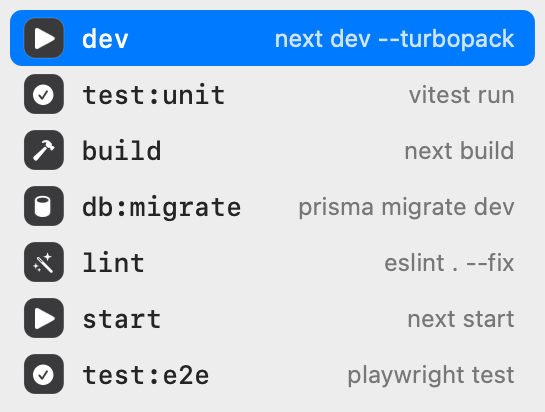
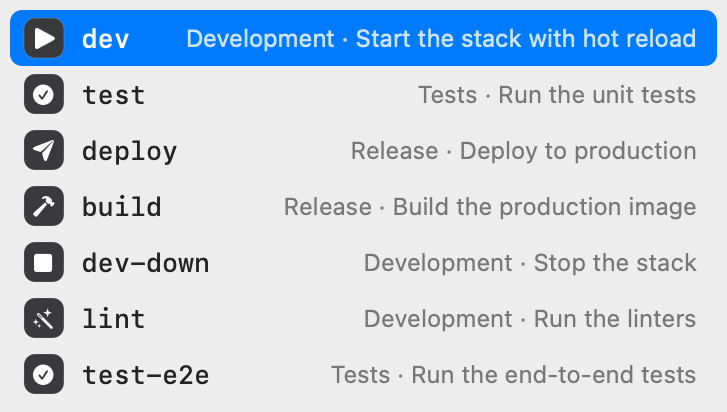
make lists the targets of the Makefile in the current folder. npm run, pnpm, yarn, and bun run list the scripts of package.json, with the command each one runs. A new project works with no setup.
❯ npm run
 Figxit
Figxit opens under the cursor as you type and lists the commands, subcommands, options, scripts, and targets that fit, ordered by what you use most in the current project.
Apple Silicon, macOS 13 or later, zsh inside tmux. No account, no AI chat, no telemetry.
~/shop ❯ make
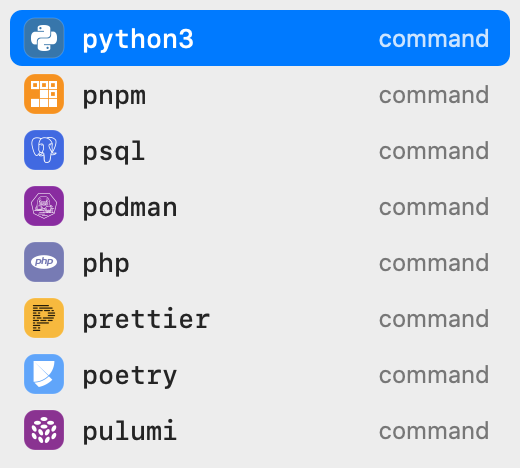
The popup is a real macOS window. It does not take keyboard focus and it does not draw inside your terminal session.
make lists the targets of the Makefile in the current folder. npm run, pnpm, yarn, and bun run list the scripts of package.json, with the command each one runs. A new project works with no setup.
❯ npm run
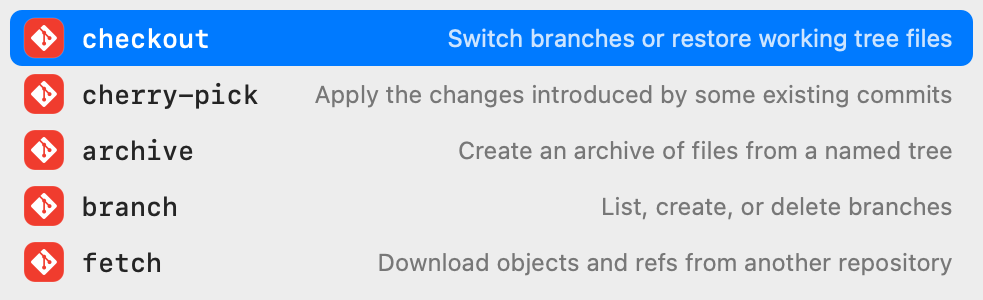
Figxit loads the open source Fig completion specs. Type a command and a space to see its subcommands, each with a one-line description. Specs also supply live values, such as git branches after git checkout and hosts after ssh.
❯ git ch
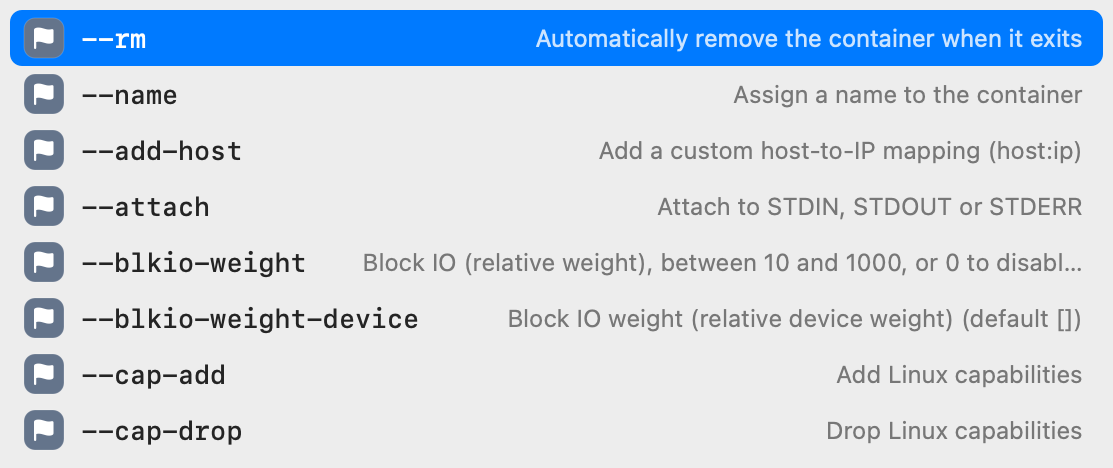
Type a dash to see the options of the command on the line. Options you have already typed are hidden from the list.
❯ docker run --
Figxit reads your Atuin history, read-only. A word scores higher when you used it in the same folder, in the same repository, or recently.
❯ p
Your commands and history stay on your Mac. The only network request is the update check, which reads one file from this site. There is no account and no usage tracking.
The zsh hook sends the line to the engine after each key and returns at once. It reads a reply only when you press Tab.
Figxit does not need Accessibility or Screen Recording access. tmux supplies the cursor position and the cell size.
Up and Down walk the rows of the popup.
The text goes into the line at the cursor.
More typing closes it too.
When the popup is closed, the keys do what they did before. Tab still opens your normal completion and Up still searches your history.
The sockets live in ~/.local/state/figxit/. Nothing leaves your machine.
zsh, about 200 lines
A zsh line editor hook sends the buffer, the cursor, and the folder to the engine after each key.
Bun
Parses the line, collects candidates from the project files, the spec, and your history, then merges and ranks them.
Swift, AppKit
A macOS app with no Dock icon. It shows the floating panel and hides it when you switch app, window, or tab.
The download is a disk image with the app. The app holds the popup, the engine, and the completion specs.
Download Figxit.dmg, open it, and drag Figxit to Applications.
Open Figxit. An icon appears in the menu bar and a setup window opens. Click Add to ~/.zshrc, or add this line yourself.
eval "$('/Applications/Figxit.app/Contents/MacOS/figxit-engine' init zsh)"Open a new tmux pane and type a command. To check the installation, run this.
figxit doctor
To build from source, see the README.

Read the code, report a problem, or add an adapter for your shell. zsh is first. fish and bash come next.