 Figxit
An open source alternative to Fig autocomplete
Fig added autocomplete to the terminal, and the app was shut down in September 2024. Figxit shows the same kind of list on macOS, in zsh, bash, and fish, from the same open source completion specs. It has no account and no AI chat.
Apple Silicon, macOS 13 or later. zsh, bash 5, or fish 4. tmux is optional. No account, no AI chat, no telemetry.
What happened to Fig
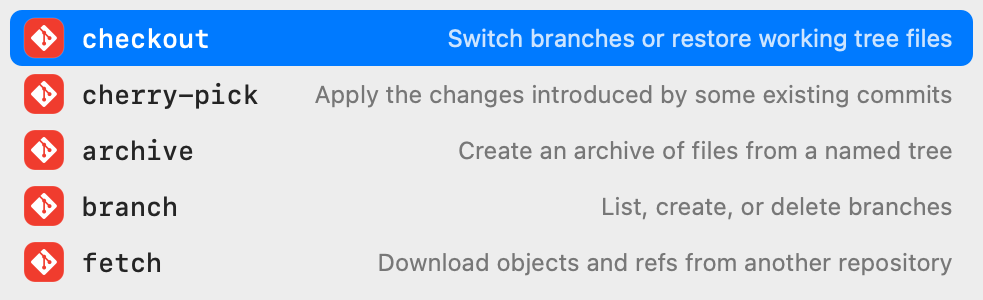
Fig added autocomplete to the terminal: you typed git and got the subcommands, each with a short description. Fig joined AWS in 2023 and the app was shut down in September 2024. Its autocomplete now ships inside Kiro CLI, a closed-source AI agent tool.
The completion specs that Fig used are still open source, in withfig/autocomplete under the MIT licence. Figxit loads them.
What Figxit replaces, and what it does not
| Fig feature | In Figxit |
|---|---|
| Autocomplete as you type | Yes. Subcommands, options, and live values for 700+ tools, each with a description |
| Completion specs | Yes. The same open source specs |
| Scripts | No |
| Dotfile sync | No |
| Team sharing | No |
| AI chat | No |
Figxit also does two things for your own project: make lists the targets of the Makefile in the current folder, and npm run , pnpm , yarn , and bun run list the scripts of package.json.
Figxit and Amazon Q or Kiro CLI
Kiro CLI, before that Amazon Q, has the Fig autocomplete inside a closed-source AI agent tool. If you only want the autocomplete, Figxit gives you the list with no account and no AI features. The source is on GitHub under the MIT licence.
Figxit and Microsoft inshellisense
Both use the Fig completion specs. The differences:
| Figxit | inshellisense | |
|---|---|---|
| Where the list is | In a native macOS window. Nothing is drawn in the terminal | Drawn inside the terminal session |
| Order of the rows | By your history | Not by your history |
| Platforms | macOS on Apple Silicon | Also Windows and Linux |
| Shells | zsh, bash 5 or later, fish 4 | Also other shells |
Privacy
Figxit has no telemetry and no account. It does not report what you type or what you run. Its only network request is the update check, one time each day, and you can turn that off in Settings. It does not ask for Accessibility or Screen Recording permission.
Move from Fig to Figxit
- Download Figxit.dmg, open it, and drag Figxit to Applications.
- Open Figxit and click Add in the setup window. It adds one line to the config file of your shell.
- Open a new terminal, or a new tmux pane, and type a command.
Details for each shell: zsh, bash, fish, and tmux.
Figxit is not affiliated with Fig, Amazon, or Kiro.
Questions and answers
Is Figxit a replacement for Fig?
Yes, for Fig's autocomplete: the list that opens as you type, with a description on each row. It does not have the other Fig features, such as scripts, dotfile sync, and team sharing, and it has no AI chat.
Is Fig still available?
No. Fig joined AWS in 2023 and the app was shut down in September 2024. Its autocomplete now ships inside Kiro CLI, a closed-source AI agent tool.
Can I use Figxit in place of Amazon Q or Kiro CLI autocomplete?
Yes, if you only want the autocomplete. Figxit needs no account and has no AI features.
Does Figxit run on Linux or Windows?
No. Figxit runs on a Mac with Apple Silicon and macOS 13 or later.
Is it free?
Yes. Figxit is open source under the MIT licence.