 Figxit
Terminal autocomplete inside tmux
Figxit shows its suggestion list under the cursor of the tmux pane you type in. tmux supplies the position of the pane, so the list works in each terminal app and in each split.
Apple Silicon, macOS 13 or later. zsh, bash 5, or fish 4. tmux is optional. No account, no AI chat, no telemetry.
Why a split is a hard case
The Figxit list is a macOS window that sits over the terminal. To put it under the cursor, Figxit needs the position of the cursor on the screen. macOS gives the position of the terminal window, and not of a pane inside it.
In tmux, tmux supplies the rest: the offset of the pane, the cell the cursor is in, and the size of a cell in pixels. The list opens in the correct place in each pane.
Terminal apps
| Terminal | In tmux | Without tmux |
|---|---|---|
| Ghostty | Works | Works |
| iTerm2 | Works | Works |
| Terminal | Works | Works |
| WezTerm | Works | Not tested yet |
| Alacritty | Works | Not tested yet |
| kitty | Works | Not tested yet |
Splits: use tmux panes
Without tmux, the list stays hidden in a native split of the terminal app, because the window list of macOS gives the window and not the pane. Use tmux for splits, or one pane for each window or tab.
Nothing is drawn in the pane
The list is a native macOS window that does not take keyboard focus. Figxit draws nothing inside the terminal, so the content of the pane stays as tmux drew it.
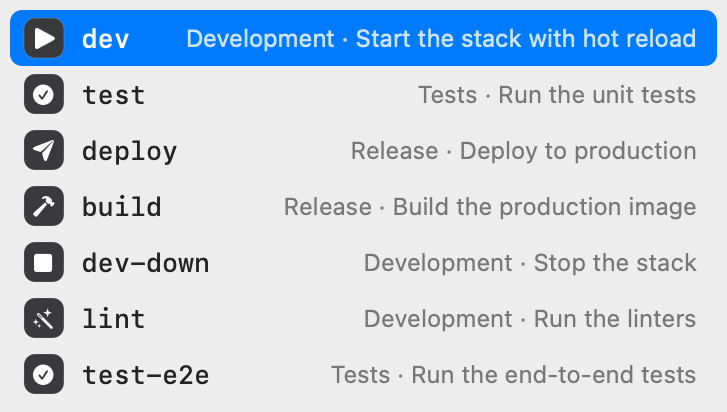
What the list shows
- Subcommands and options for 700+ tools from the open source Fig completion specs, each with a description.
- The targets of the Makefile and the scripts of package.json in the current folder.
- Live values, such as git branches after
git checkoutand hosts afterssh. - With Atuin installed, rows ordered by what you use most in the current project.
Set up
- Download Figxit.dmg, open it, and drag Figxit to Applications.
- Open Figxit and click Add in the setup window. It adds one line to the config file of your shell.
- Open a new tmux pane and type a command.
The lines for each shell are on the pages for zsh, bash, and fish.
Questions and answers
Do I need tmux to use Figxit?
No. Figxit works in tmux and directly in Ghostty, iTerm2, and Terminal. Without tmux, a native split of the terminal app gets no list.
Does it work in WezTerm, Alacritty, and kitty?
In tmux, yes. Without tmux, these three are not tested yet.
Do I have to change tmux.conf?
No. The install adds one line to the config file of your shell. Open a new tmux pane after that.
Which shells work in tmux?
zsh, bash 5 or later, and fish 4.